Create your free account
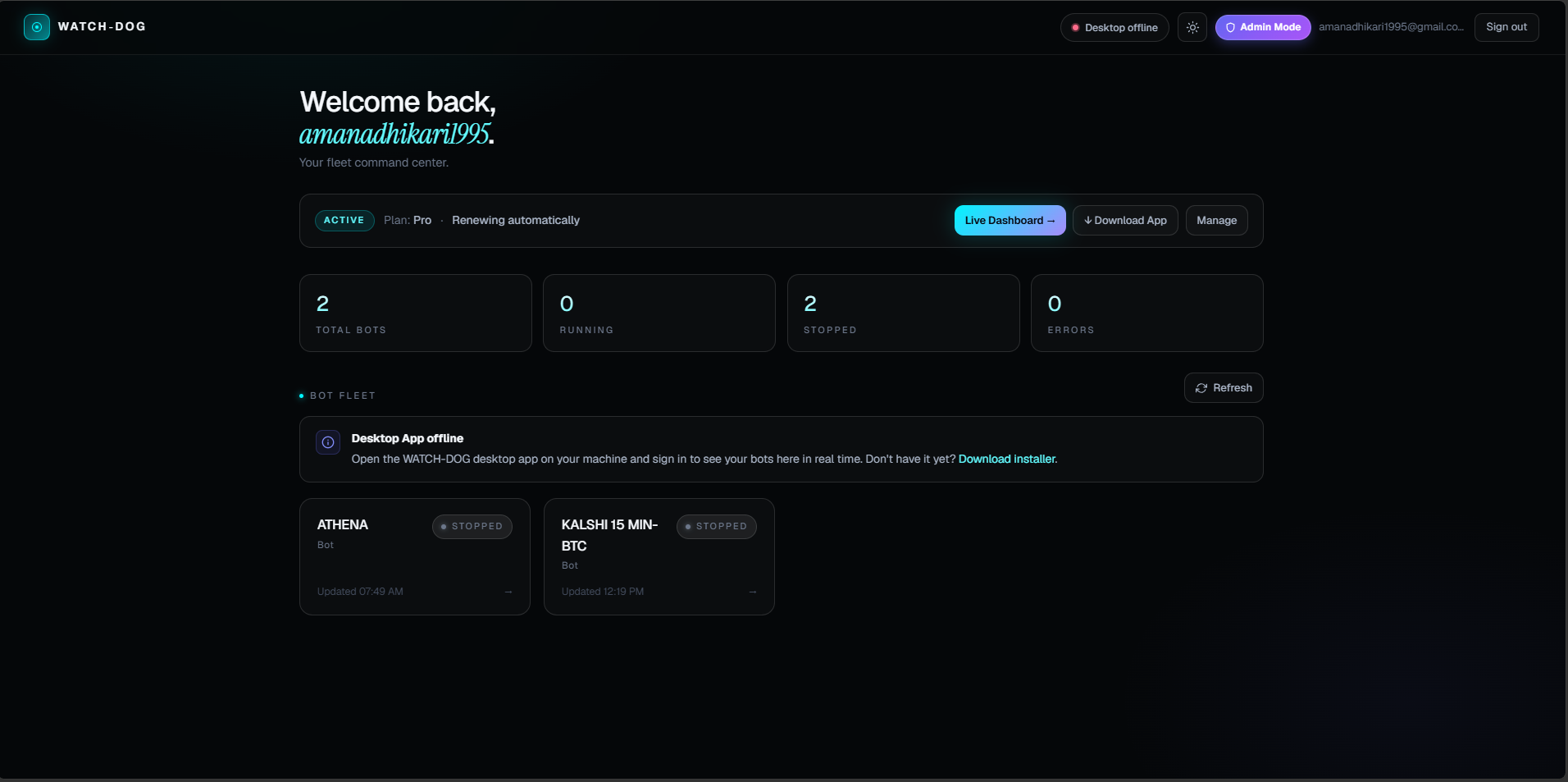
Sign up here on watchdogbot.cloud with your email and password. You'll land in your
fleet command center — the web dashboard where you can manage your account, monitor bots, and download
the desktop app. Your free trial activates automatically with no credit card.
Tip: Click the "Download App" button on the dashboard once you're signed in. We'll do that next.
Download the desktop app
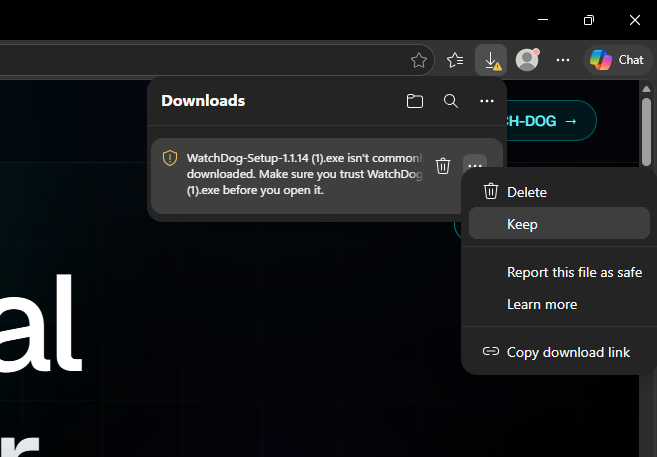
Your browser will save WatchDog-Setup-1.1.14.exe (~200 MB). Because the installer is new, Windows may flag
it as "not commonly downloaded". Click the "…" menu and choose "Keep"
(or "Keep anyway" on the SmartScreen popup).
Why does this happen? The installer is digitally signed but new — Windows SmartScreen hasn't built
reputation yet. The app is safe; the warning will disappear over time as more users install it.
Install on your machine
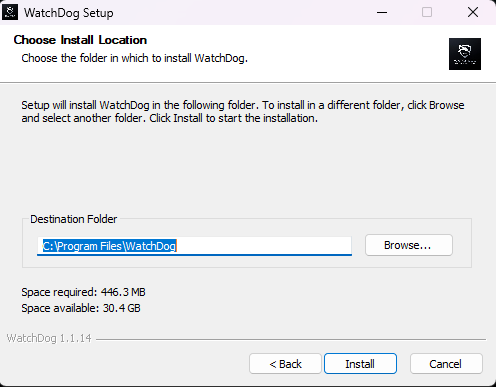
Run the installer. You'll be asked to pick an install folder (the default C:\Program Files\WatchDog is
fine for most users). Click Install — installation takes about a minute. The bundled Python runtime
is included; you don't need to install Python separately.
Disk space: About 450 MB. The app handles its own Python venvs after install, so disk usage may grow
as you create more bots.
Sign in to the desktop app
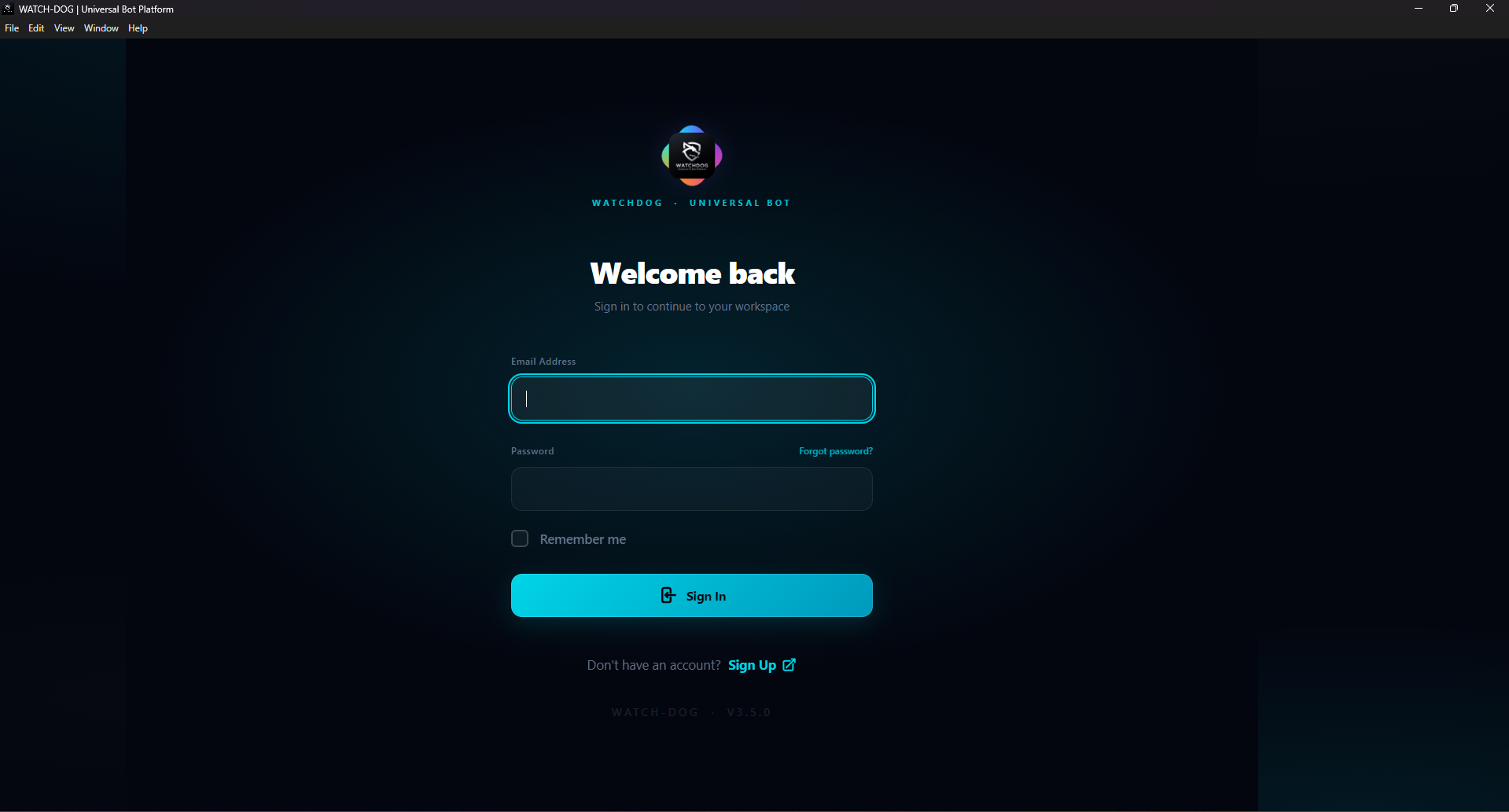
Launch the WatchDog app. You'll see a "Welcome back" screen — sign in with the same email and password
you used to create your account in Step 1. Your account, free trial, and any settings you saved on the website sync
automatically.
Forgot password? Use the "Forgot password?" link to reset via email. We never store plaintext passwords.
Choose your bot type
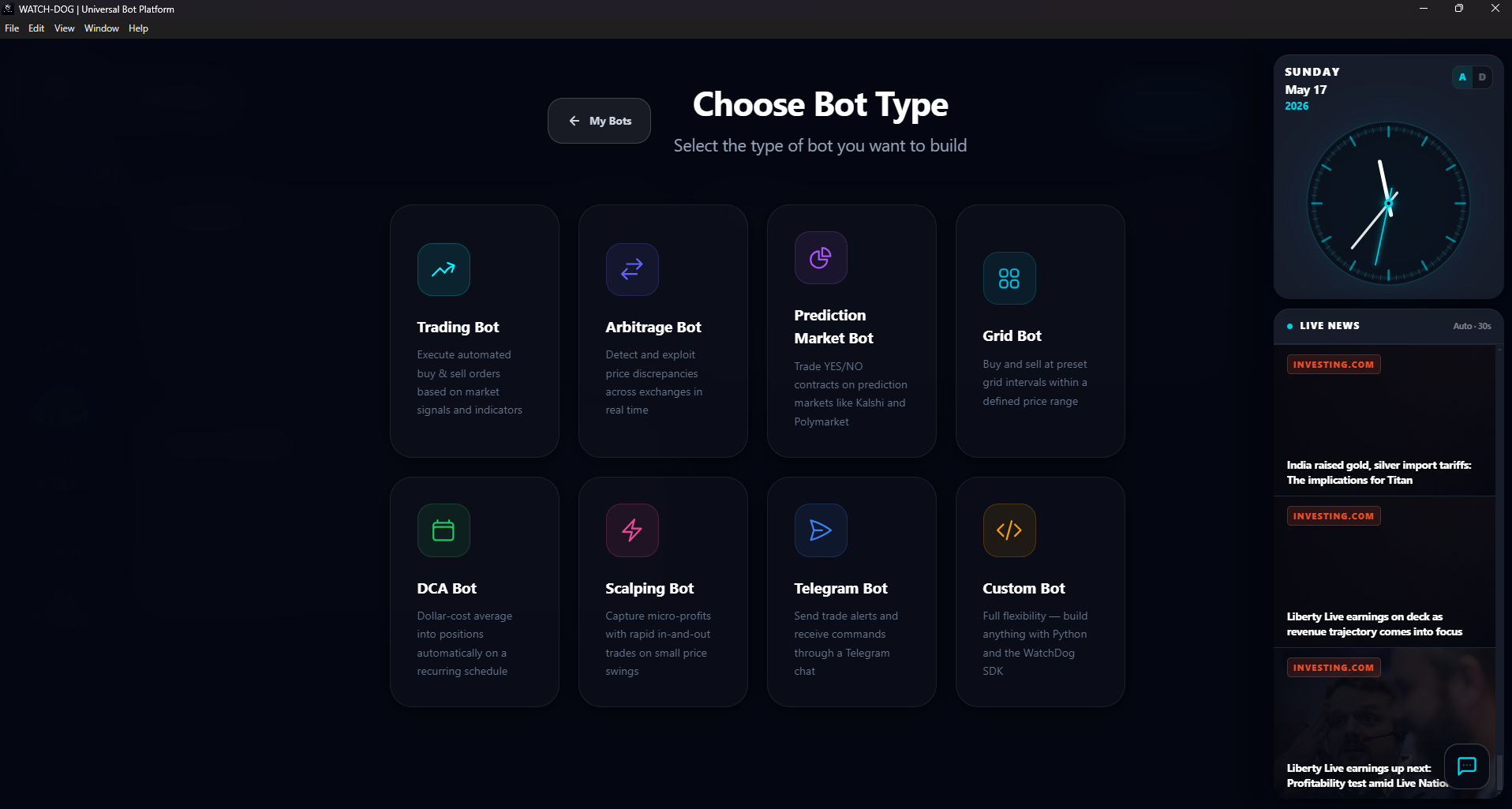
Click "New Bot" on the dashboard and pick the archetype that matches what you want to build. Eight
options available: Trading, Arbitrage, Prediction Market,
Grid, DCA, Scalping, Telegram, or
Custom.
Not sure which? Pick "Custom" for full Python flexibility, or "DCA" if you're brand new and want a simple, reliable starter strategy.
Pick how to start
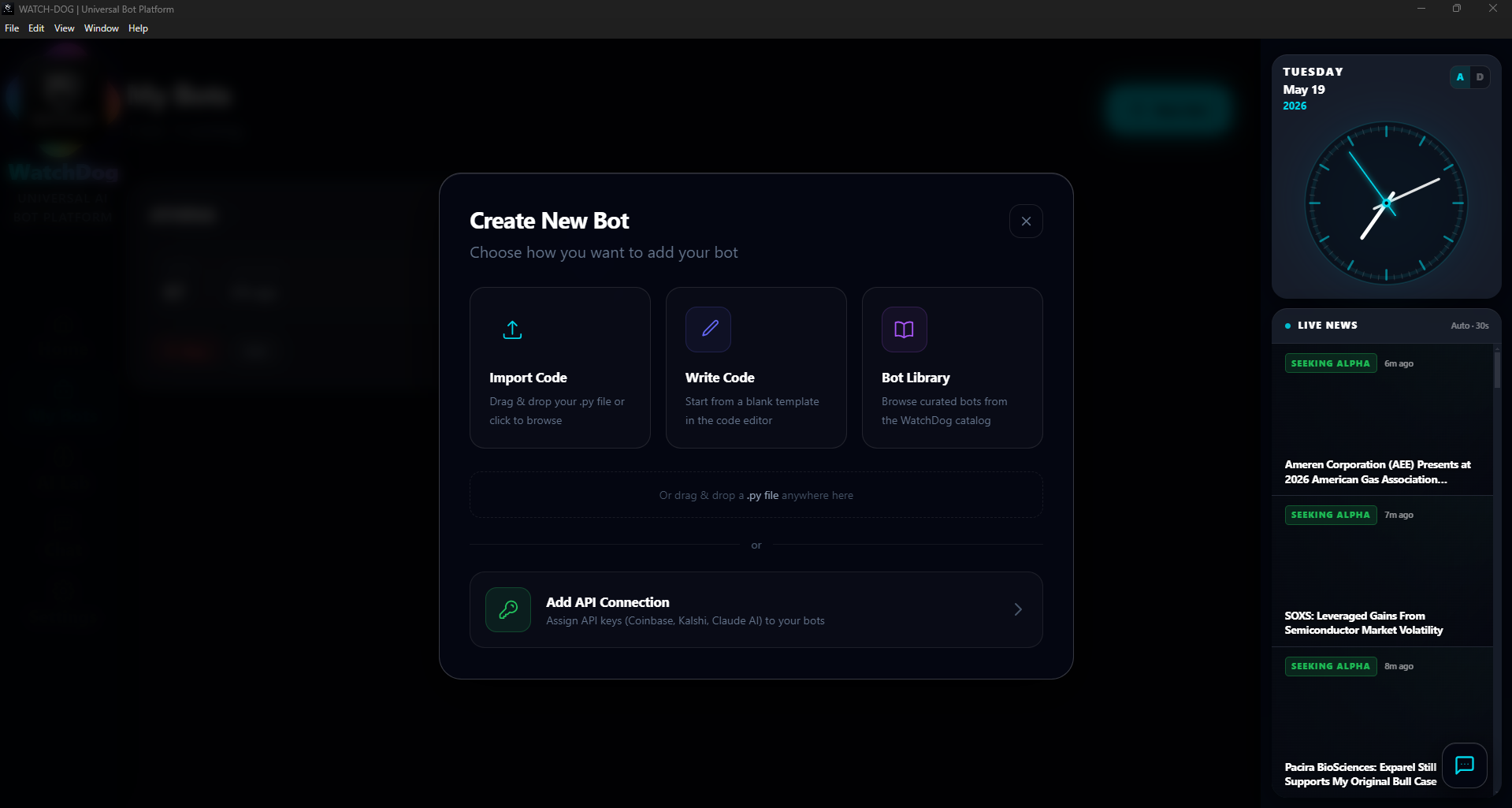
Choose how to get your bot's code in: Import Code (drag and drop a Python file you already have),
Write Code (start from a template in the built-in editor), or Bot Library (browse our
curated starter bots). You can also Add an API Connection here for exchanges like Kalshi or Binance.
Don't worry about dependencies. If your bot uses ccxt, pandas, or any other
PyPI package, the runtime auto-installs them on first run.
Run it and watch it work
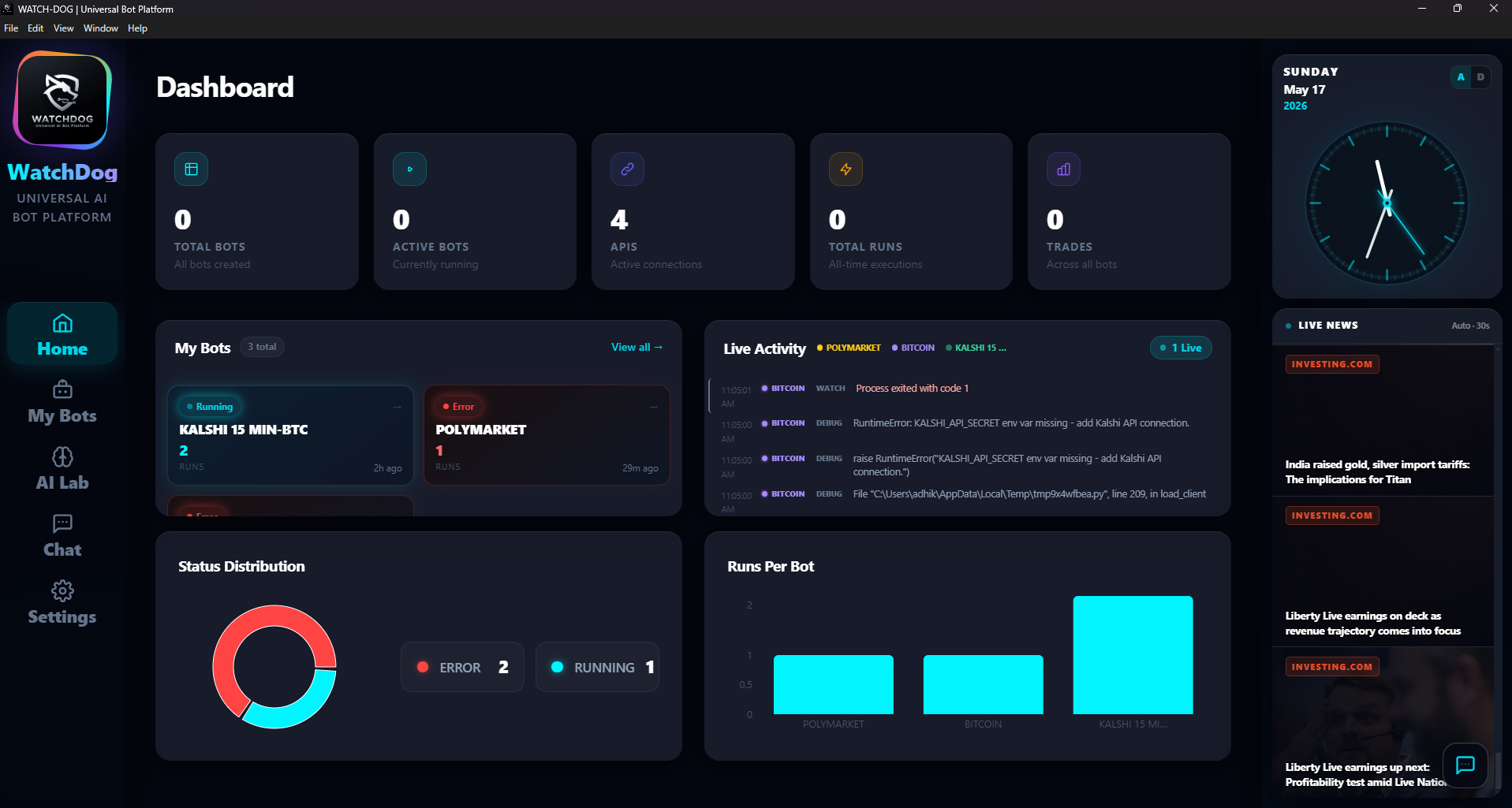
Click Start and your bot is live. The dashboard shows everything in real time —
active bots, total runs, live activity feed, status distribution, and per-bot run counts. Logs stream
live; errors surface immediately; "Fix with AI" is one click away if something breaks.
That's it — you're running a bot. Take a moment, look around the dashboard, then close this guide and sign in to begin.